New language, new me!!!
After completing my genius hour mission, I can now say that I am fluent in the American Sign Language alphabet. By knowing the letters, I am hoping that I will be able to communicate on a basic level with any deaf or ELL students in my classes or colleagues. I now feel confident that I can use the letters of the alphabet to spell any words I would want to communicate. Spending a small amount of time every couple of days on learning a few simple hand signs has enabled me to learn part of a whole new language!
I found that using websites and apps really enhanced my learning as I was able to practice anywhere I was. For instance, I used the ASL app on my phone to practice chunks of letters while at work. This made me realize the importance of incorporating technology into the classroom setting as it can give students portable teaching tools so that they can access education from anywhere.
Being successful at learning the ASL alphabet has made meant to learn more words in ASL and I cannot wait to be able to put my new knowledge into practice. Next stop.... Colours in ASL!!!
For my next genius hour, I want to learn how to knit using 'Vogue Knitting' and incorporate this skill into a MakerSpace station or lesson or activity within my classroom. I hope to be able to work on this passion project alongside my future students as they become innovators and creators when they work on their own genius hour in my classroom! :)
Tuesday, March 19, 2019

Genius Hour- Chunk 3 and 4....Success!
The last few weeks have been a whirlwind but through it all I have managed to finish the third and fourth chunks of the ASL alphabet using my app and website resources! I was able to learn and memorize the letters from 'P' all the way to 'Z'. I used my breaks between school and work to quickly review a few letters at a time and practice making the signs with my hands. However, I did have a roadblock. From my prior knowledge on ASL I had thought that I knew the sign for the letter 'r'. As it turns out, that sign actually represents 'x' (see below). I had a hard time remembering this when it came to performing all of the signs of the alphabet in sequence as it was a habit for me to use this sign for 'r'. After many sessions of practice, (before bed, when bored in class, etc.) I can now say I can successfully sign the ASL alphabet!

Sunday, February 24, 2019
Genius Hour Project- Movie Trailer
This week I was able to use the iMovie application on my Macbook computer to create a movie trailer for my genius hour project. I was able to include a movie title, film award nominations, annotations, quotations, and even a credits screen using the application. I also included photographs of both me teaching and of me researching and practicing the ASL alphabet. Finally, the app let me edit my trailer to include artistic transitions and add a song of choice to play in the background. This assignment not only gave me the motivation to continue working on my project but also introduced me to a great app that could be used effectively in the classroom as a learning tool.
Please check out my 'Learning ASL: A Journey to Knowledge' iMove trailer under the 'My Movie Trailer' tab above! :)
Please check out my 'Learning ASL: A Journey to Knowledge' iMove trailer under the 'My Movie Trailer' tab above! :)
Genius Hour Project- Chunk 2
The past week I have utilized the American Sign Language App that I downloaded to my phone and have been using the charts under the alphabet section to learn the next set of letters. I have now learned, practices, and memorized up to letter 'O' in the alphabet. I think the visuals in the app have helped me with the practice and memorization aspects of my genius hour goal. By class next week, I hope to have learned the next set of letters up to 'T'. This will leave me ample time to learn the final set and have time to practice the alphabet in it's entirety.

By continuing to research resources available to aid me in my progress of my Genius Hour project, I have found another useful ASL website. 'Sporcle' is a website that quizzes your knowledge on the ASL alphabet. I will use this website for the next few weeks of my porject to track and assess my progress at each point.

Tuesday, February 12, 2019
Genius Hour Project- Chunk 1
I have spent a lot of time simply memorizing the first letters in the American Sign Language Alphabet. Using the video from my last post, I have been able to learn the first 12 letters of the alphabet in sign. I discovered that I learn best through repetition. So, I watch the video and learn a letter sign, pause the video and practice, and then press play to move onto the next. I do this cumulatively so that I do not forget the first letters that I learned. I do this routine at the beginning of the week and practice the week's letters for the remainder of the week so that I am ready to move add on to my learning the following week.
Genius Hour Progress- Research
So far for my genius hour project (learning the alphabet in ASL and becoming comfortable in using it), I have spent my time researching the best ways to go about learning ASL. I have found a few online apps that are helpful in teaching the ASL alphabet. The app that best matches my learning style so far is simply titled "American Sign Language". I am a visual learner and this app uses pictures of hands to teach each of the letters. It also has sections of the app to learn words that begin with A, B, C, etc. so that I can extend my learning past my genius hour goal. I also have found that I learn best by playing youtube videos such as the one below.
Sunday, January 27, 2019
Child-Driven Education (Sugata Mitra)
Sugata Mitra: The child-driven education
In the video linked above, Sugata Mitra discusses the pedagogical concept of student-centered learning in relation to technology. Mitra explains that in all of his experiences with children around the world, they can and will learn new concepts if motivated. For example, children in all places and ages can learn to use technology, such as computers, if given the resources and motivation. This is critical information for us as educators because we often underestimate students and their abilities to learn. Mitra suggests using the 'grandmother' technique and supporting student learning by complimenting and expressing interest in what they are doing and avoiding critical comments. As educators, perhaps we could use this method to support our students in the classroom. We could also begin to introduce technology to our students at a younger age and allow them to experiment with coding. We are used to using a gradual release model of responsibility and modelling for students what should be done, but according to the information from this video, we should be allowing students to learn through self-discovery and experimentation. By doing this, we may able to inspire students to become technological entrepreneurs and engineers starting from a young age and allowing them to grow in a supportive environment.
Saturday, January 19, 2019
Copyright
After reviewing the resources within the assignment tab I have learned about the importance of copyright. Copyright essentially means people own the rights to anything that they create including books, songs, drawings, photographs, or worksheets. I knew this previously, however, I did not realize there were different types and levels of copyright. After watching the video from the Creative Commons website, I now know that there are six different types of copyright licenses and that each allows viewers and users to do different things with resources they find. The biggest take-away for me was learning how to check the copyright licensing of a resource and the importance of citing (or attributing) resource references.
It is important to teach students about copyright because from an early age students are working with technology and are able to easily access an abundance of resources via the internet. However, if they are not taught the importance of copyright, they may use photographs or documents illegally. This habit could also transfer into their academic work and they could be penalized for plagiarism. It is also important for students to understand copyright licensing because often children are creators. Therefore, they should be educated on their rights to their creations before they can be exploited.
 |
| Hurst, Daniel. (June 30, 2008). Children At School [Online Image]. Retrieved from www.hurst-photo.com |
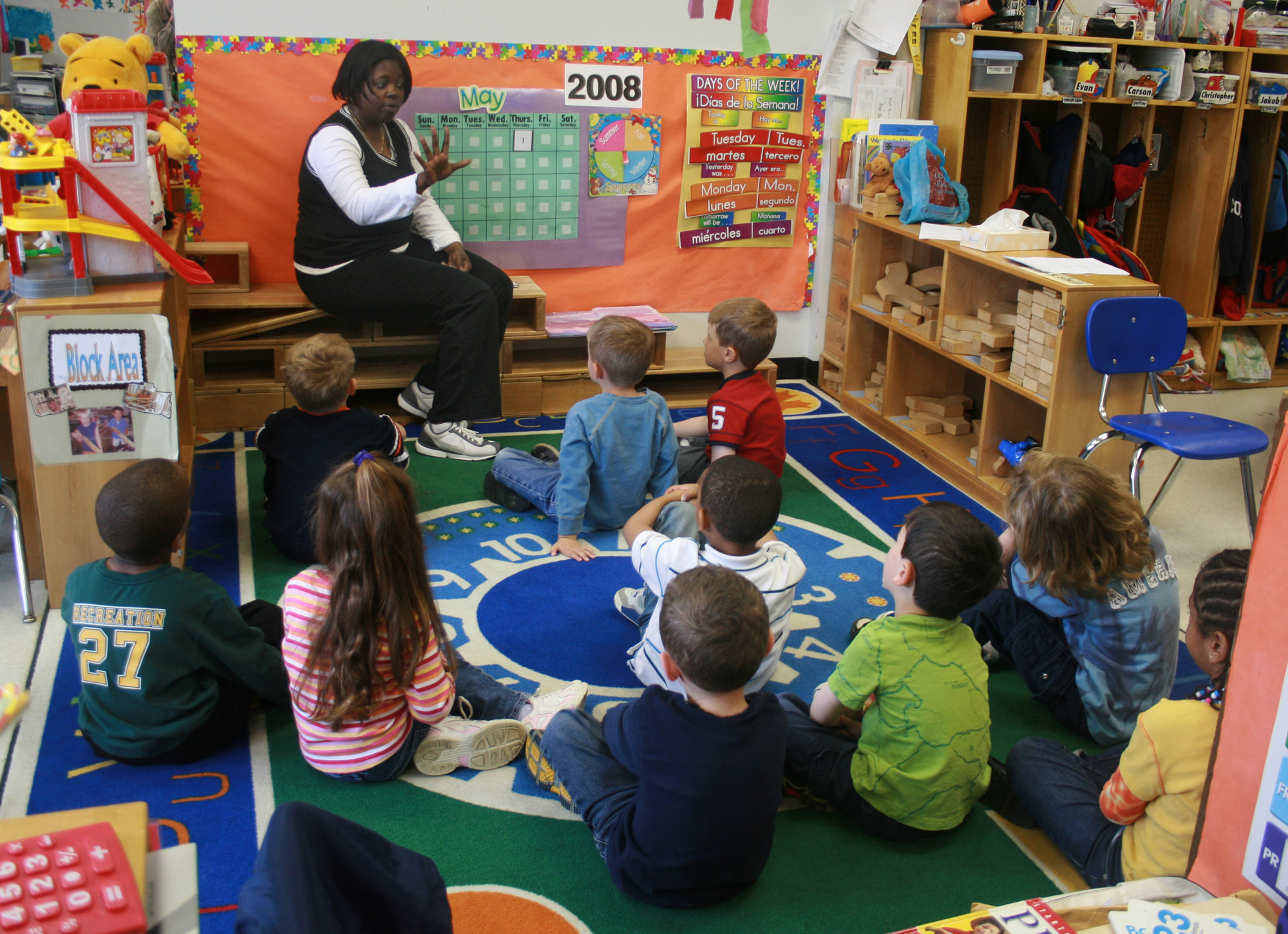 |
| Woodleywonderworks. (May 1, 2008). Teacher teaching students in an early childhood setting [Online Image]. Retrieved from https://upload.wikimedia.org/wikipedia/commons/f/f1/School-education-learning-1750587-h.jpg |
Thursday, January 17, 2019
Subscribe to:
Posts (Atom)